VPN Service
E-com App Redesign
Trading App
Investment Dashboard

About Me
Notes
1
Messages
Resume / CV
Telegram
LinkedIn
About me
Aleksandra Solomko
Name Aleksandra Solomko
Position UX/UI Designer
UX/UI Designer with 4+ years of experience delivering end-to-end user-centered design across fintech, e-commerce, and trading platforms. Proven track record: reduced design time by 28% through a scalable Polaris-based design system and improved user retention by 20%. Led end-to-end redesign of a mobile app scaled to desktop — from user interviews and usability testing to production-ready handoff. Experienced in cross-functional collaboration with product, engineering, and marketing teams.

Seeking a product-focused role in EU/Poland where design impact is measurable.
Location
Notes
Experience
05/04/2026 Itexus, Aheadworks...
About
05/04/2026 I'm Aleksandra...
Skills
05/04/2026 Figma, UX Methods...
Resume / CV
Aleksandra Solomko
UX/UI Designer · Design Systems · Fintech & E-commerce
📍 Warsaw, Poland 📧 asolomko365@gmail.com 🔗 Open to Remote EU & Hybrid
Experience
Middle UX/UI Designer May 2025 – Apr 2026
Itexus · Warsaw, On-site
Conducted UX audit across 4 products. Led end-to-end mobile→desktop redesign: interviews, wireframes, hi-fi prototypes. Localized products for 3+ international markets.
UX/UI Designer May 2022 – Jan 2025
Aheadworks · Warsaw, Remote
Boosted user retention by 20%. Architected Shopify Polaris design system, cutting design-to-dev time by 28%. Earned Built for Shopify badge.
Freelance UX/UI Designer Dec 2021 – May 2022
Self-employed · Remote
Delivered end-to-end UX/UI for 3+ client projects: research, wireframing, prototyping, and developer handoff.
Education
Product Design 2023 – 2024
FormFactor
Fine Art, BA 2019 – 2022
Belarusian National Technical University
Skills
Figma Design Systems User Research Prototyping Usability Testing A/B Testing Adobe Illustrator HTML / CSS Jira Midjourney
Languages
English B2 Polish C1 Russian — Native
Aleksandra
Aleksandra Solomko
E-com App Redesign — Case Study
App Redesign: Making Product Value Clear

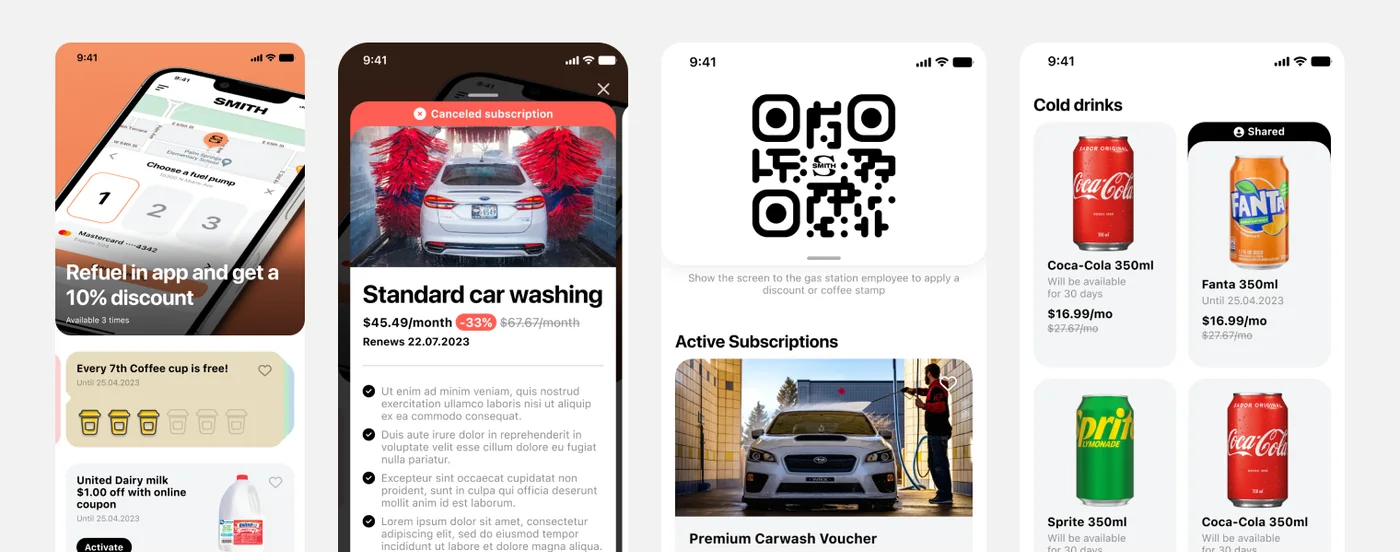
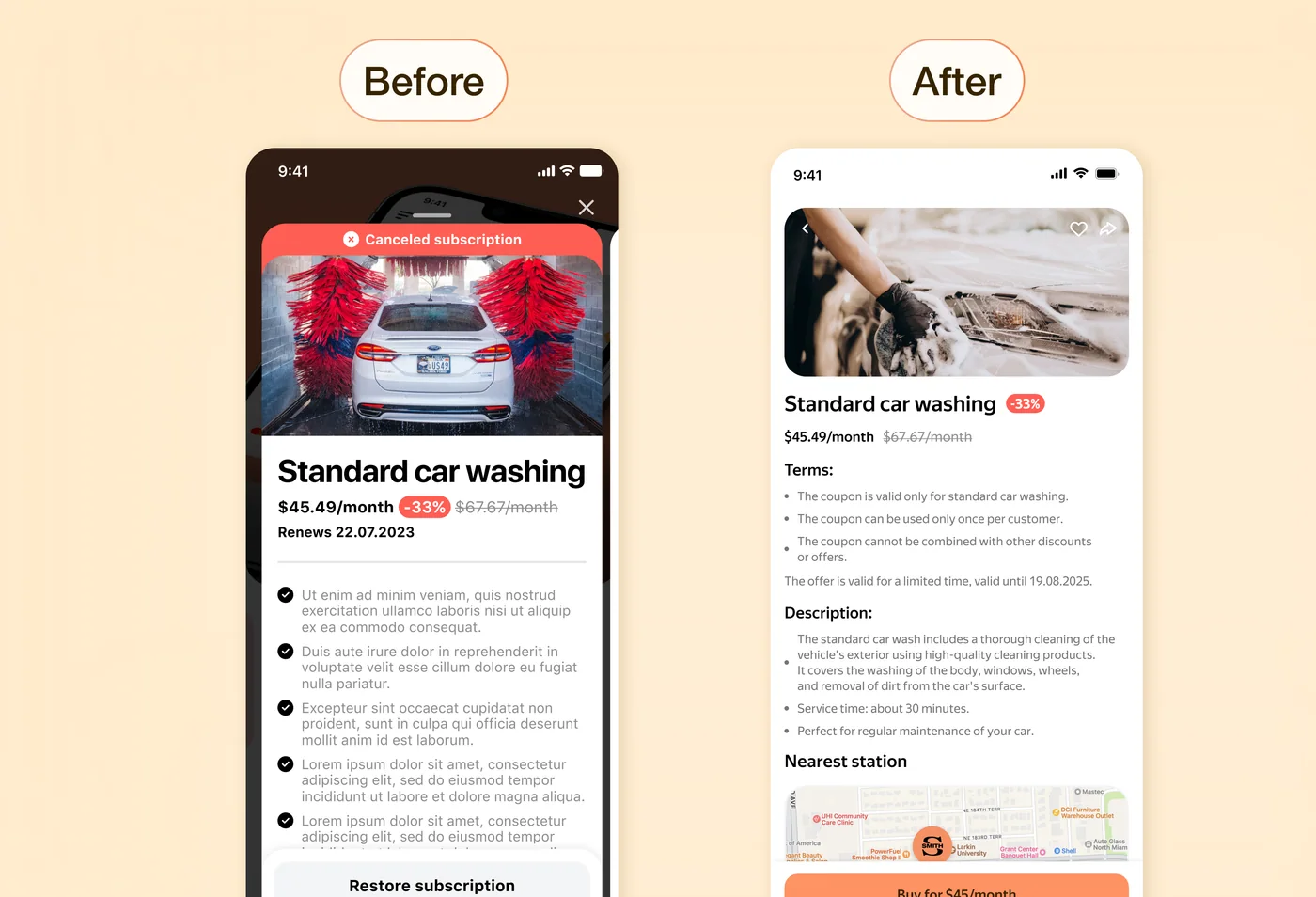
When I joined the project, the product was already live and actively used by various e-commerce clients. It was a customizable platform that allowed businesses to build their own app by combining different features — coupons, loyalty programs, fuel services, car wash, promotions, and more.

From a business perspective, everything seemed solid: the product was flexible, feature-rich, and could be adapted to different needs.

However, the situation was quite different from a user experience standpoint.

Client
NDA
Year
2024
Project type
Mobile App iOS/Android
Role
Product Designer, UX Audit
E-com Banner

Problem

The issue became clear through user behavior:

  • users rarely returned to the app
  • they spent very little time in it
  • they didn't complete key user flows

At the same time, the interface already included core and even valuable features — but they didn't work together as a cohesive product.

As I started digging deeper, it became clear that the problem wasn't the lack of functionality.

The real issue was how that functionality was presented.

App Before Redesign

App Before Redesign

What wasn't working

The interface felt fragmented:

  • no clear sense of what was important
  • key scenarios (like coupons or QR) weren't highlighted
  • weak visual hierarchy — elements competed for attention
  • sections felt like separate products

As a result, users had options — but no clear starting point or reason to return.

My goal

My task wasn't just to redesign the interface, but to:

make the product's value immediately clear and help users start key actions effortlessly

while preserving existing user habits and avoiding disruptive changes.

UX Audit

Approach

I started with a simple question:

which scenarios actually matter and should happen regularly in the product?

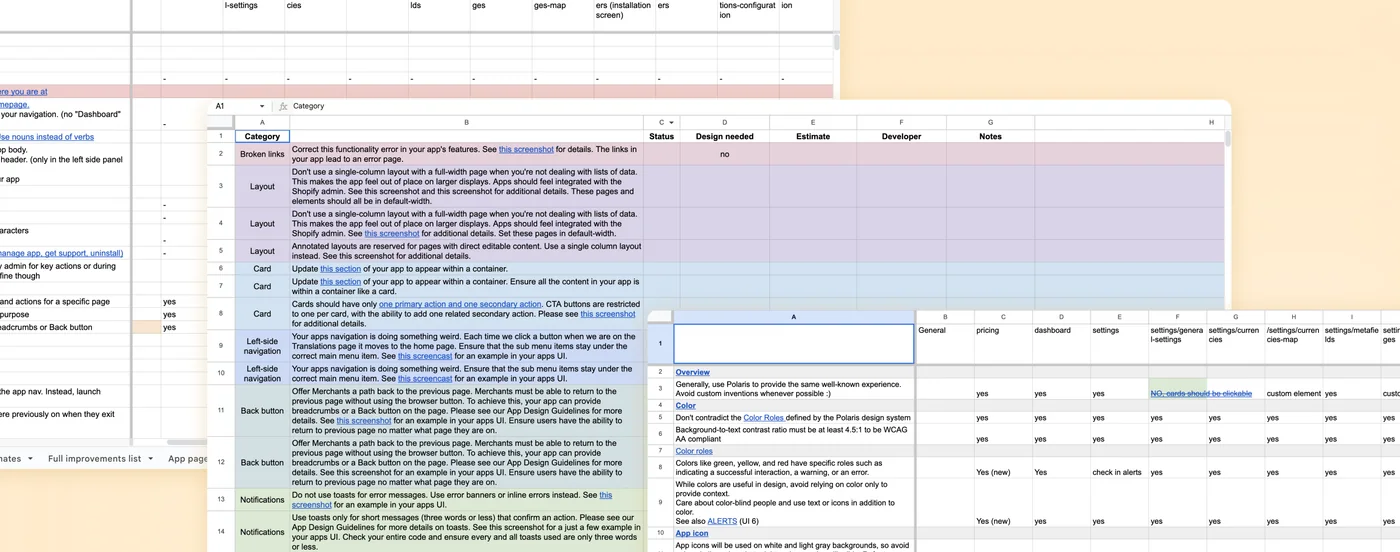
To answer this, I conducted a UX audit — reviewing existing flows, interface structure, and user interactions to identify where users were dropping off or getting confused.

This helped pinpoint key issues in hierarchy, navigation, and feature discoverability.

From there, the work focused on three main areas:

  • prioritizing key user scenarios
  • restructuring visual hierarchy
  • simplifying entry points to core actions

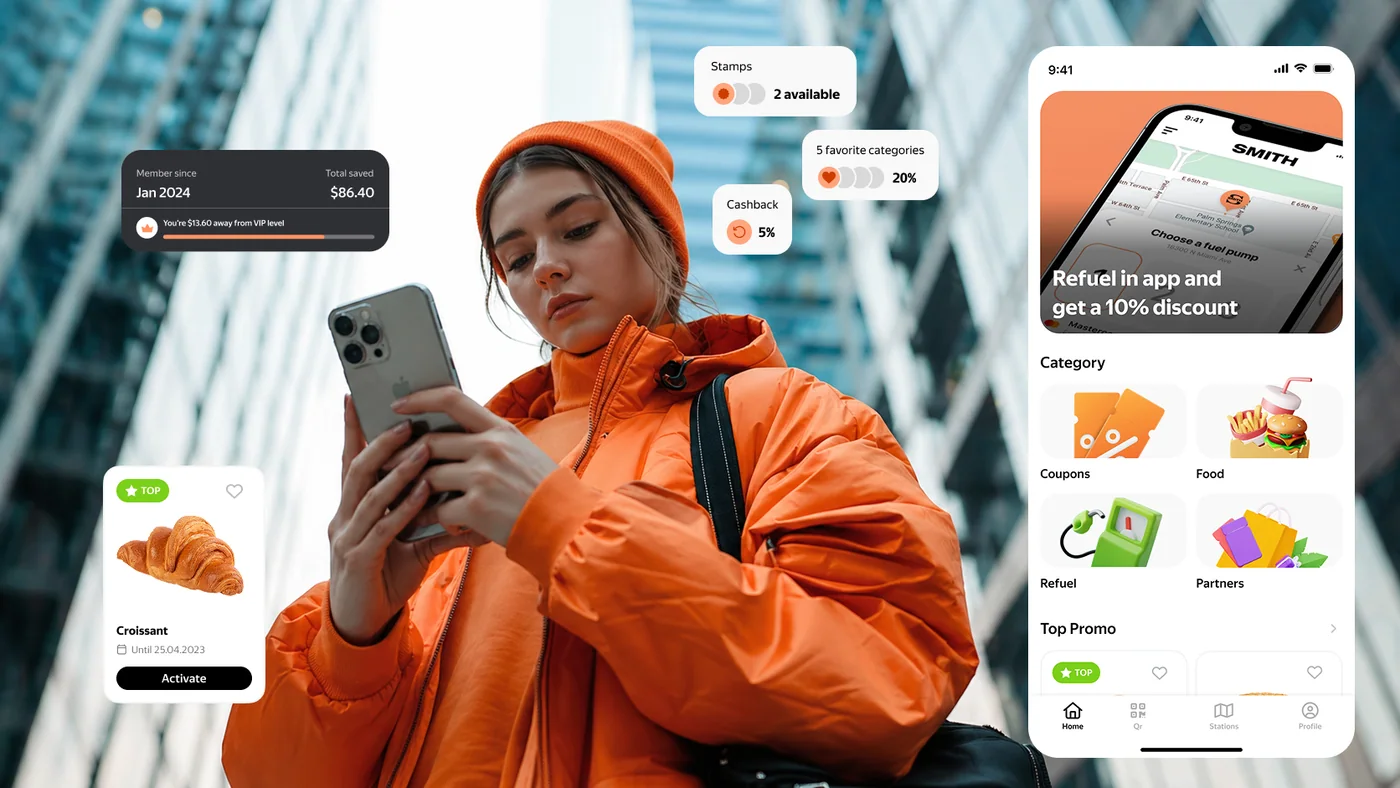
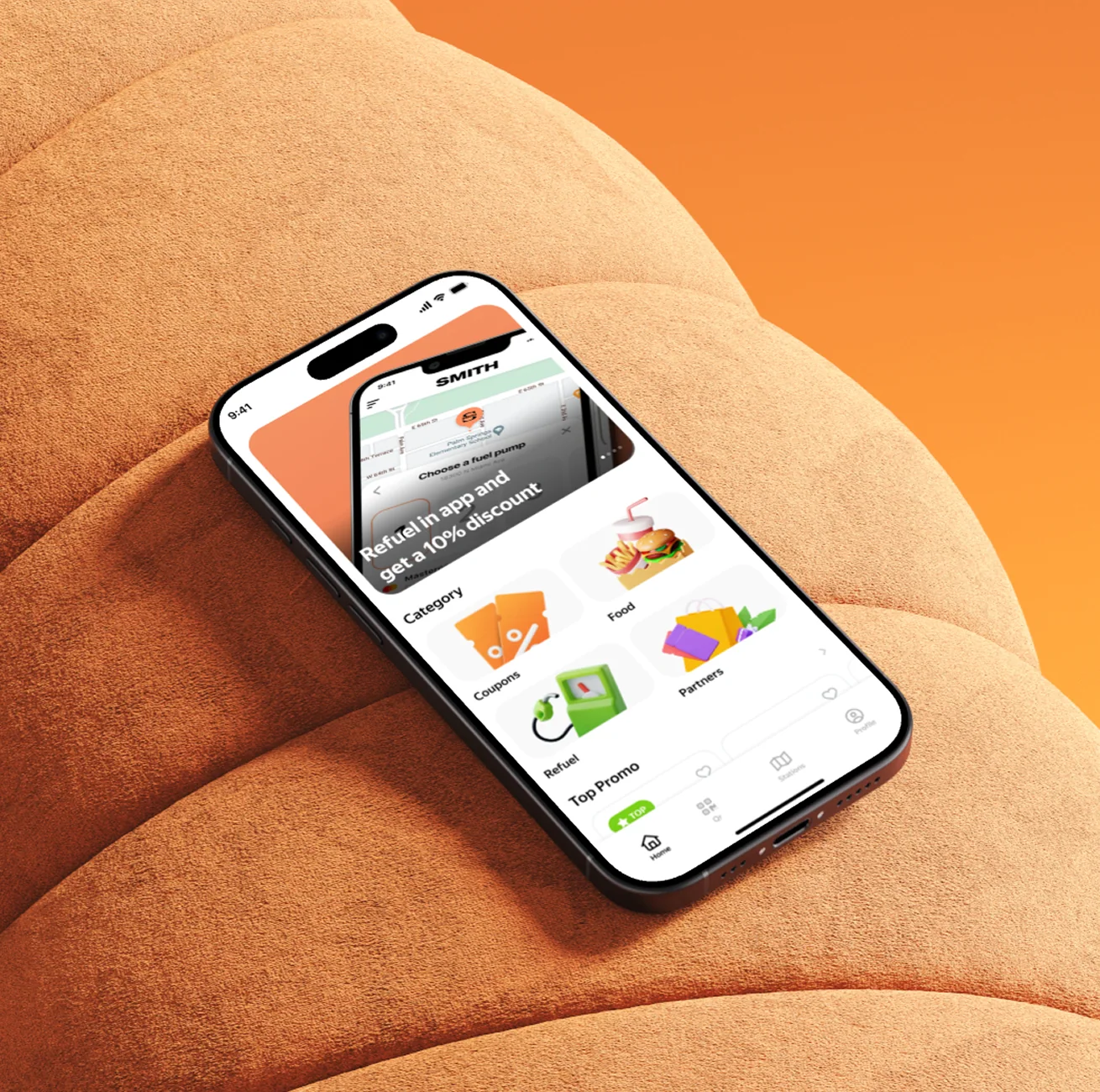
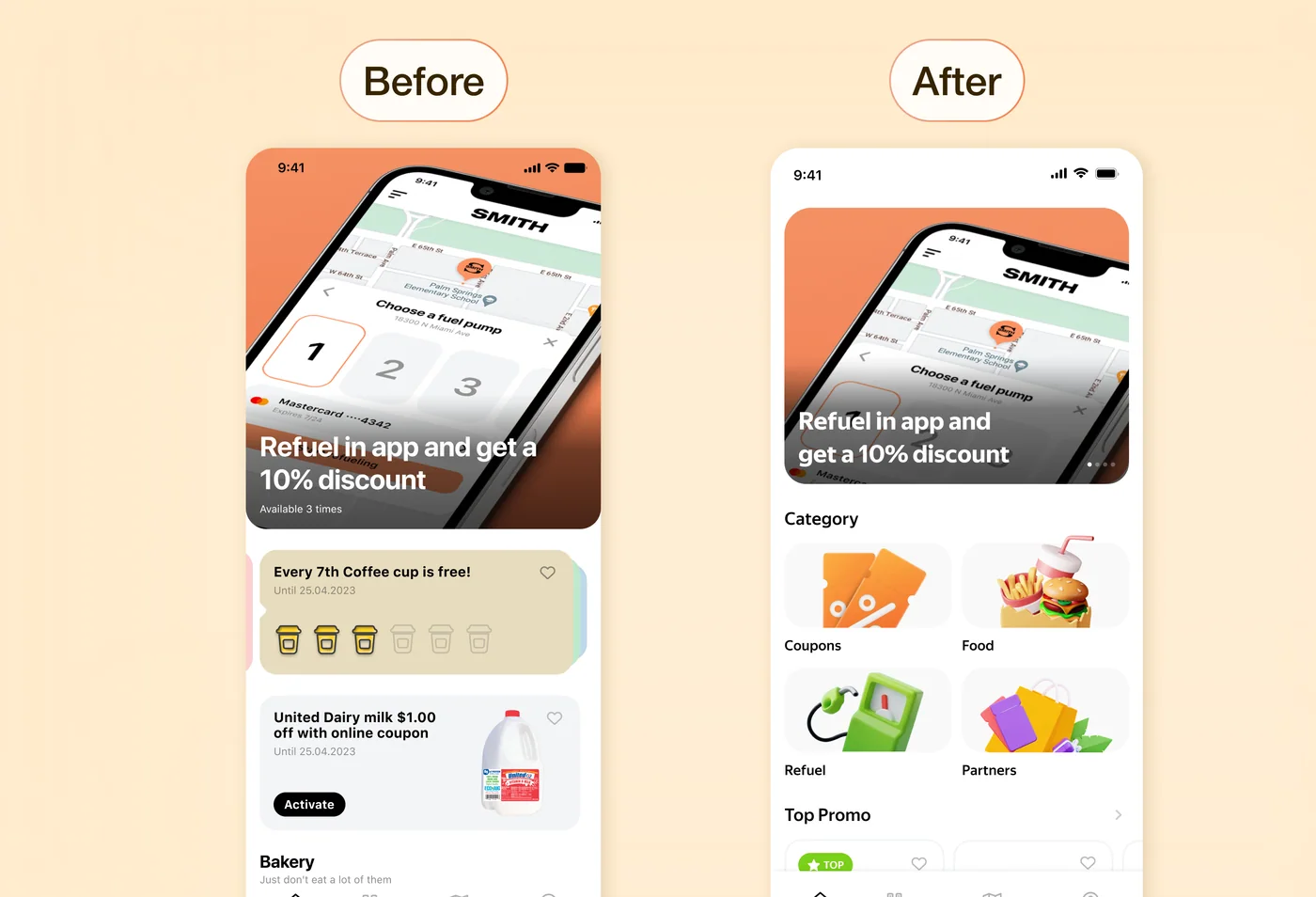
Home Screen: Clear entry points and structure

What changed

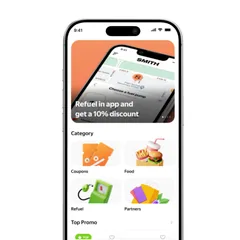
  • Added a clear hero section → shows users where to start
  • Introduced categories (Coupons, Food, Refuel, Partners) → gives quick access to key sections
  • Structured content into sections → improves scanability and flow
  • Simplified visuals → reduces noise and speeds up decision-making
Home Screen

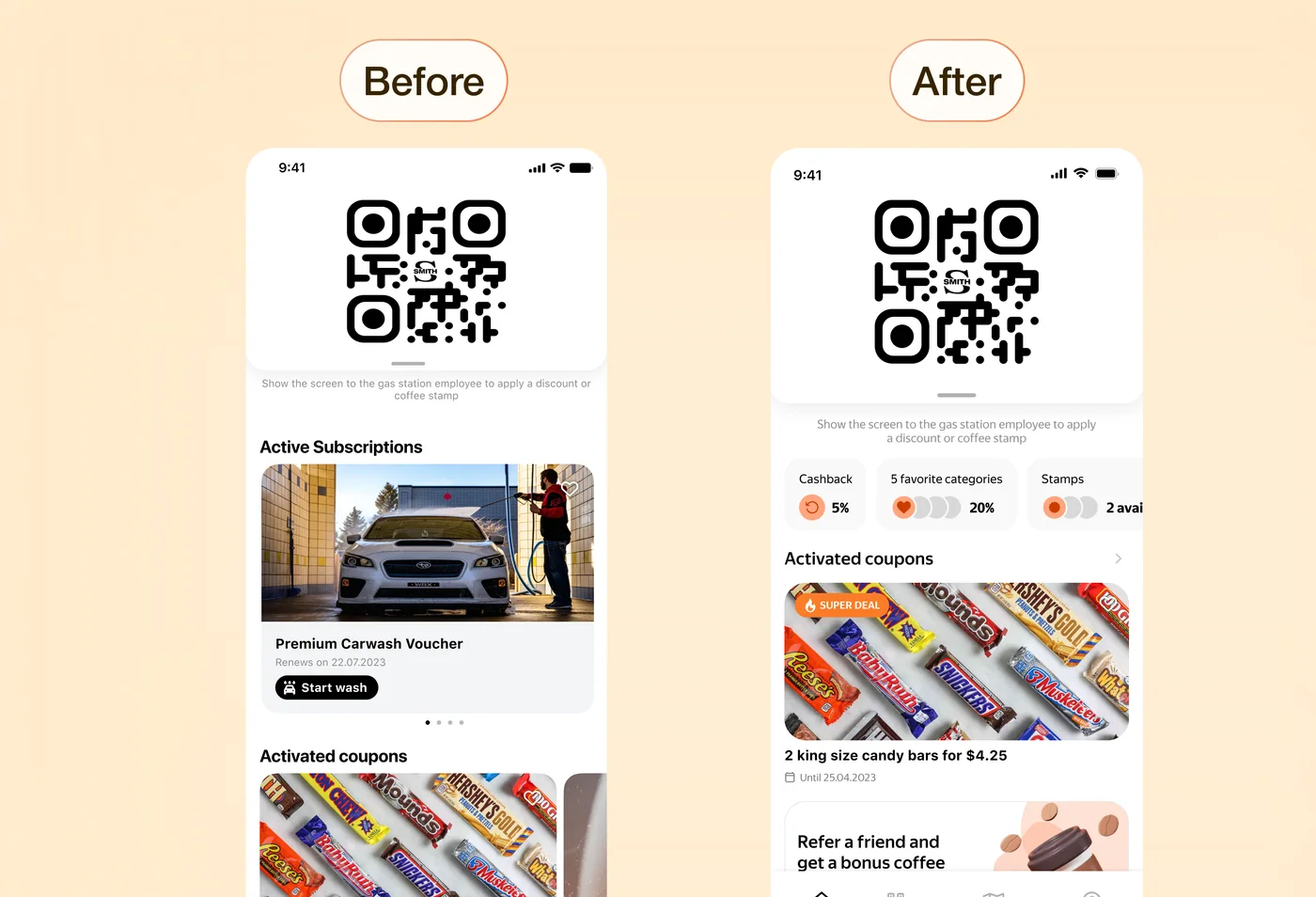
QR Screen

QR Screen

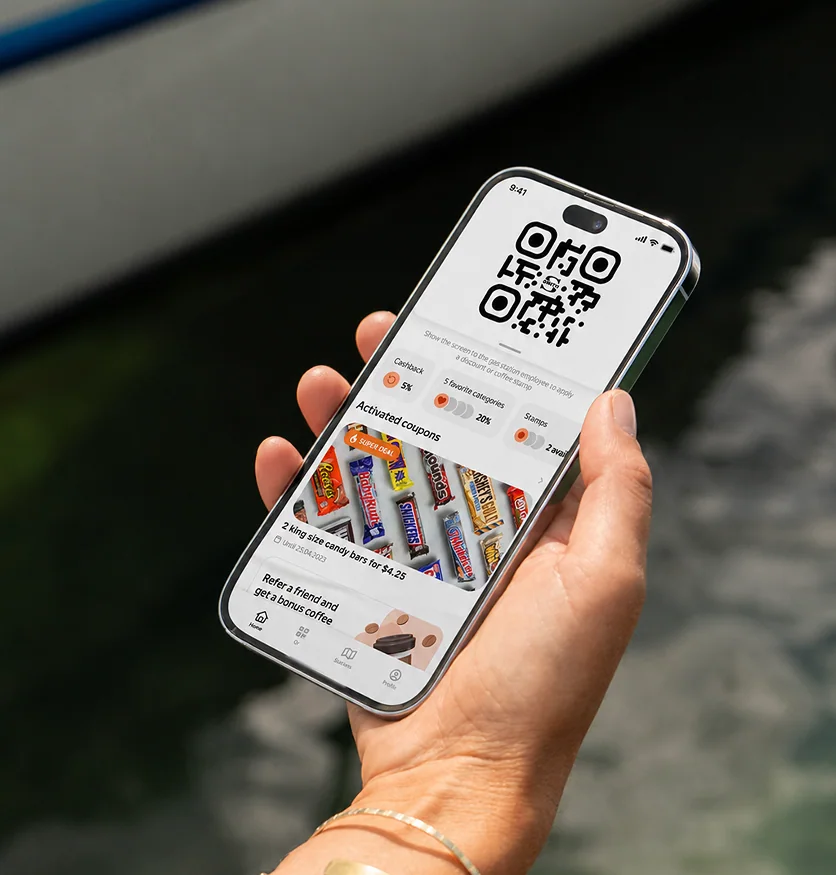
What changed

  • Simplified the QR screen → keeps focus on the main action without distractions
  • Highlighted key benefits (cashback, categories, stamps) → makes value visible at a glance
  • Reorganized content below the QR → surfaces activated coupons and relevant offers
  • Reduced visual noise → improves readability and overall clarity

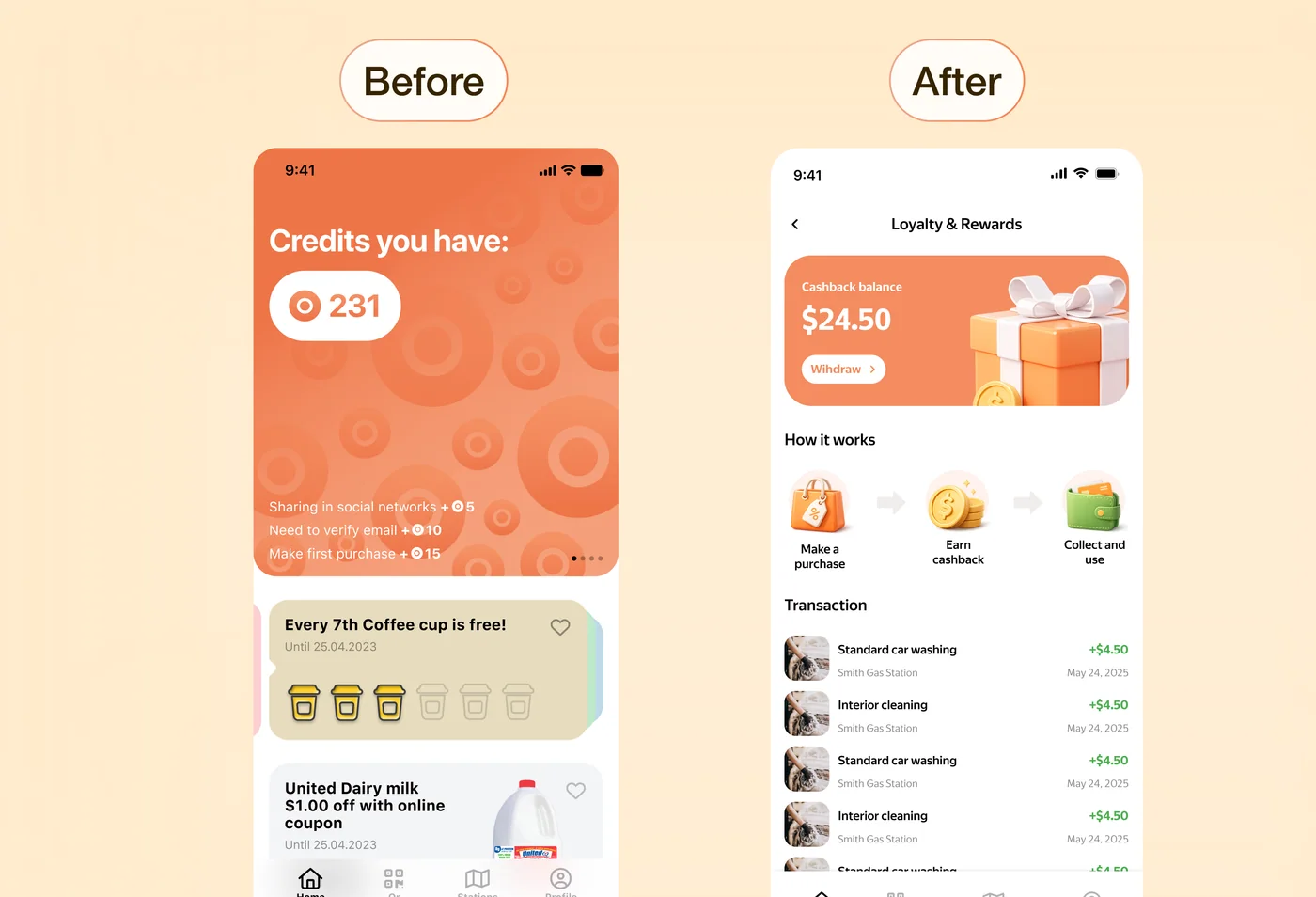
Loyalty Screen

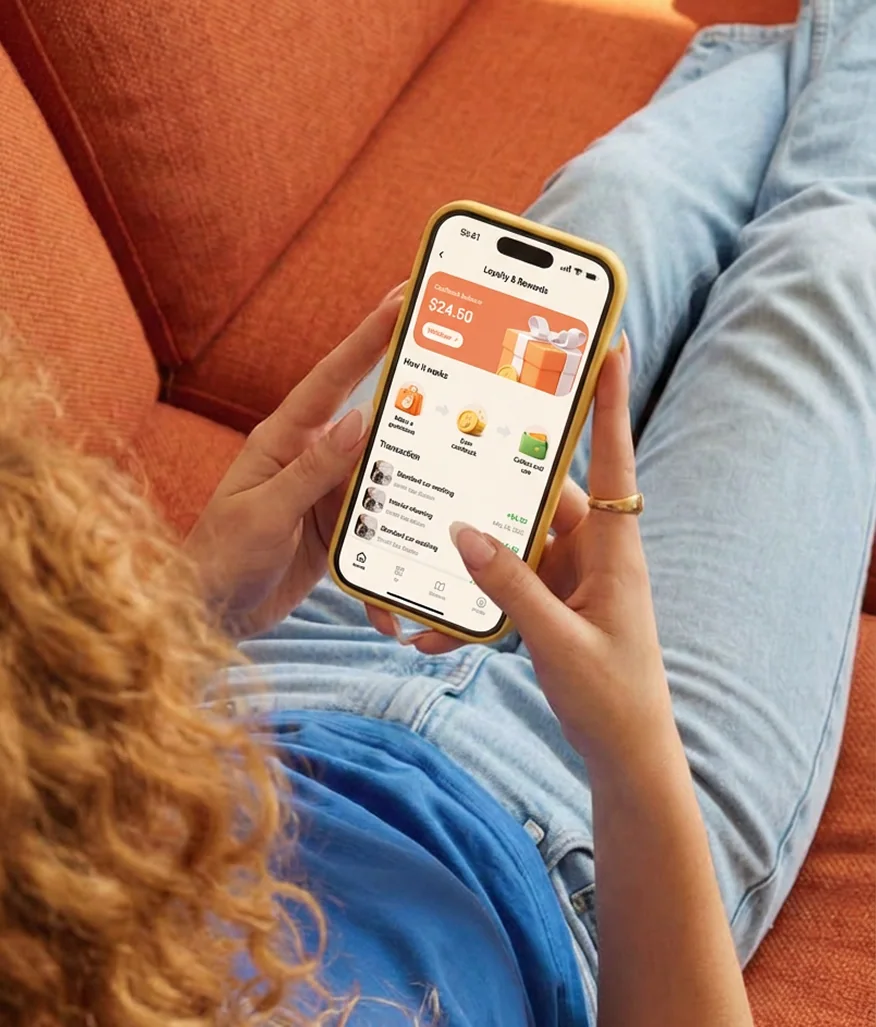
What changed

  • Replaced abstract "credits" with a clear cashback balance → makes value tangible and easier to understand
  • Introduced a dedicated loyalty screen → gives users a single place to track and manage rewards
  • Added "How it works" section → explains the system and reduces confusion
  • Made transactions visible → builds trust and shows real benefit over time
Before, the reward system existed but wasn't clear or motivating. After the redesign, users can see how they earn and use rewards, which makes the system more transparent and encourages repeat usage.
Loyalty Screen

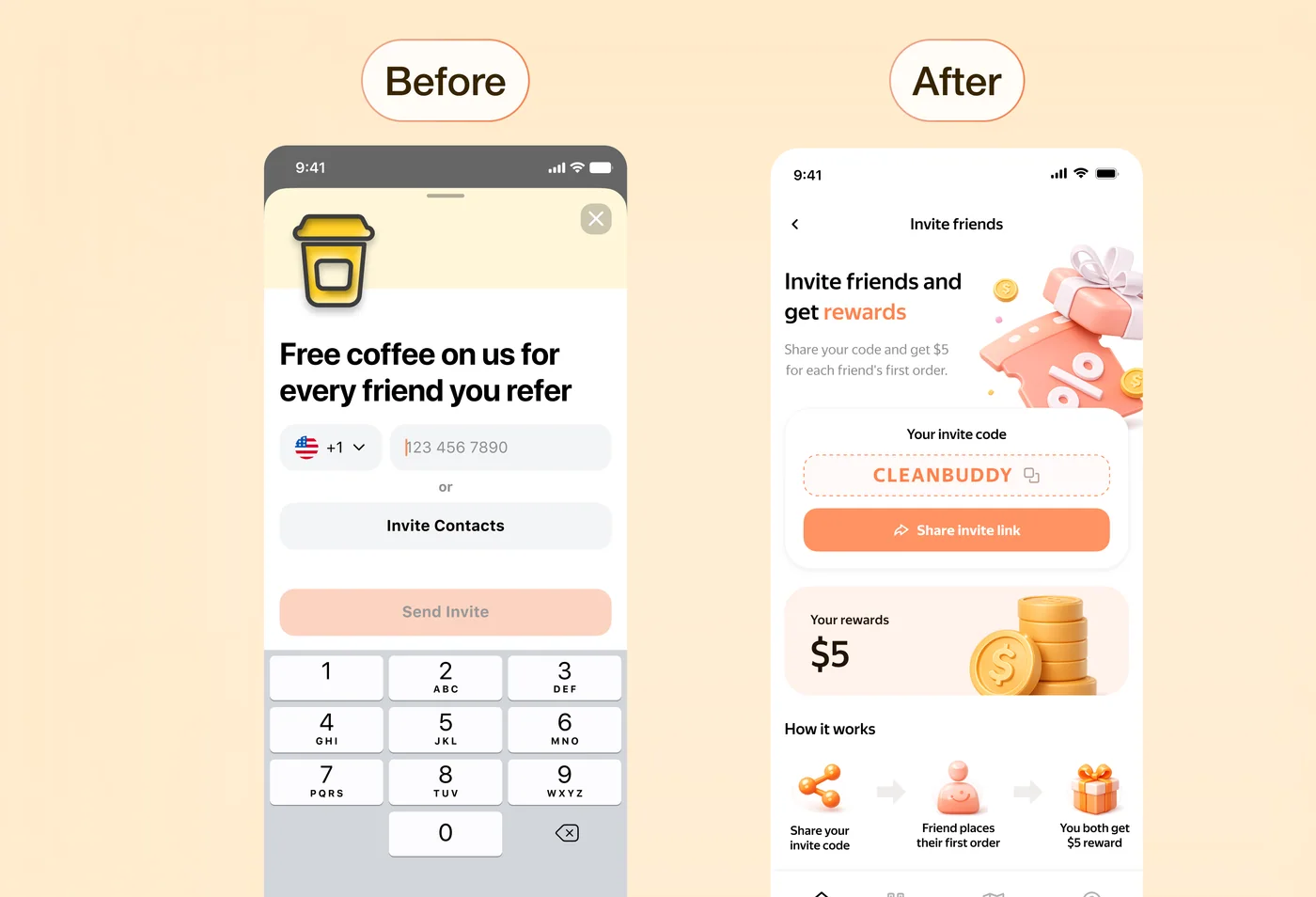
Referral Flow

Referral Flow

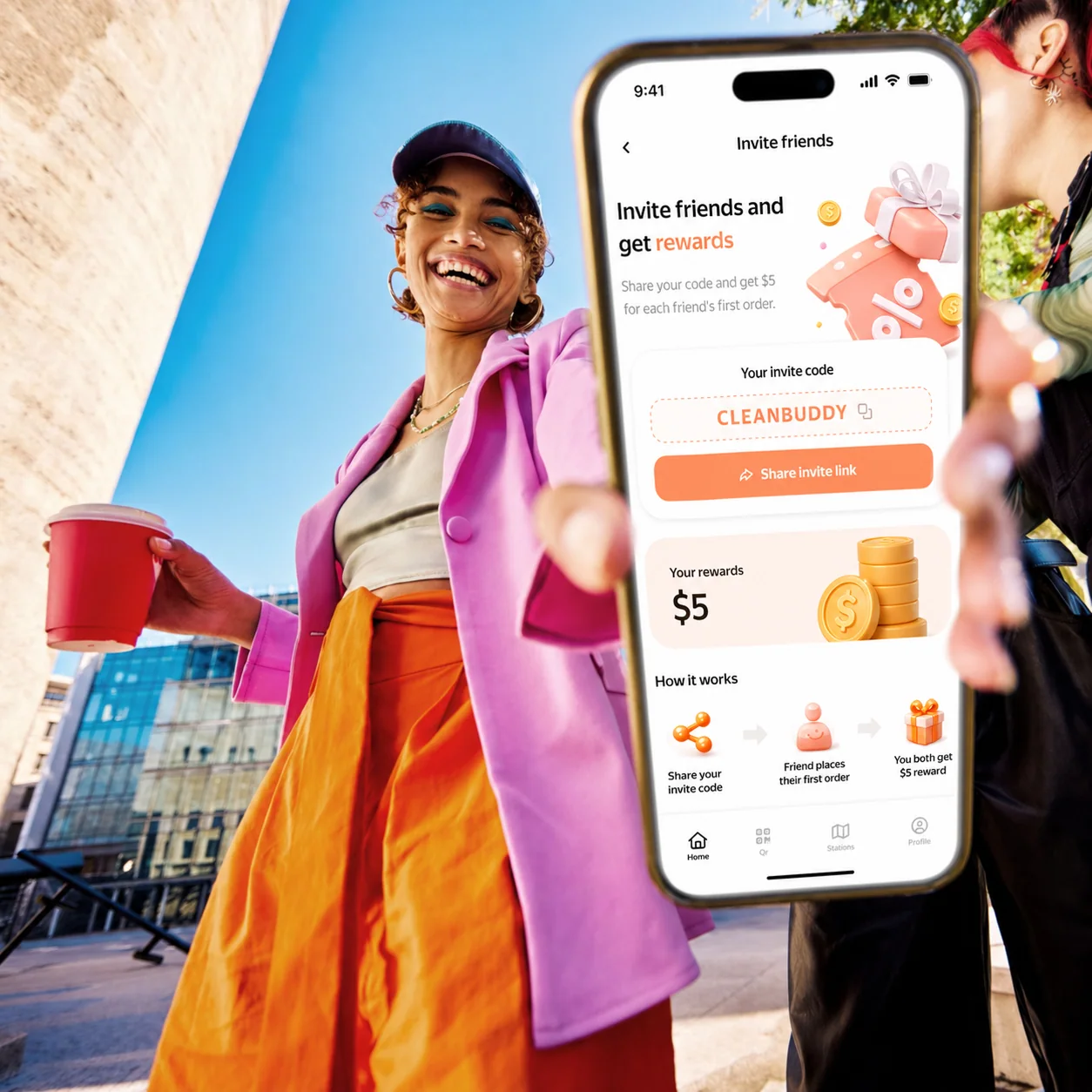
What changed

  • Replaced input-heavy flow with a simple invite system → removes friction and makes sharing effortless
  • Made the reward explicit ($5) → clearly communicates the benefit and increases motivation
  • Highlighted invite code and share action → simplifies the main user flow
  • Added "How it works" section → explains the process and builds trust
Before, the flow required effort without clearly showing the benefit. After the redesign, users immediately see what they get and how it works, making them more likely to invite others.

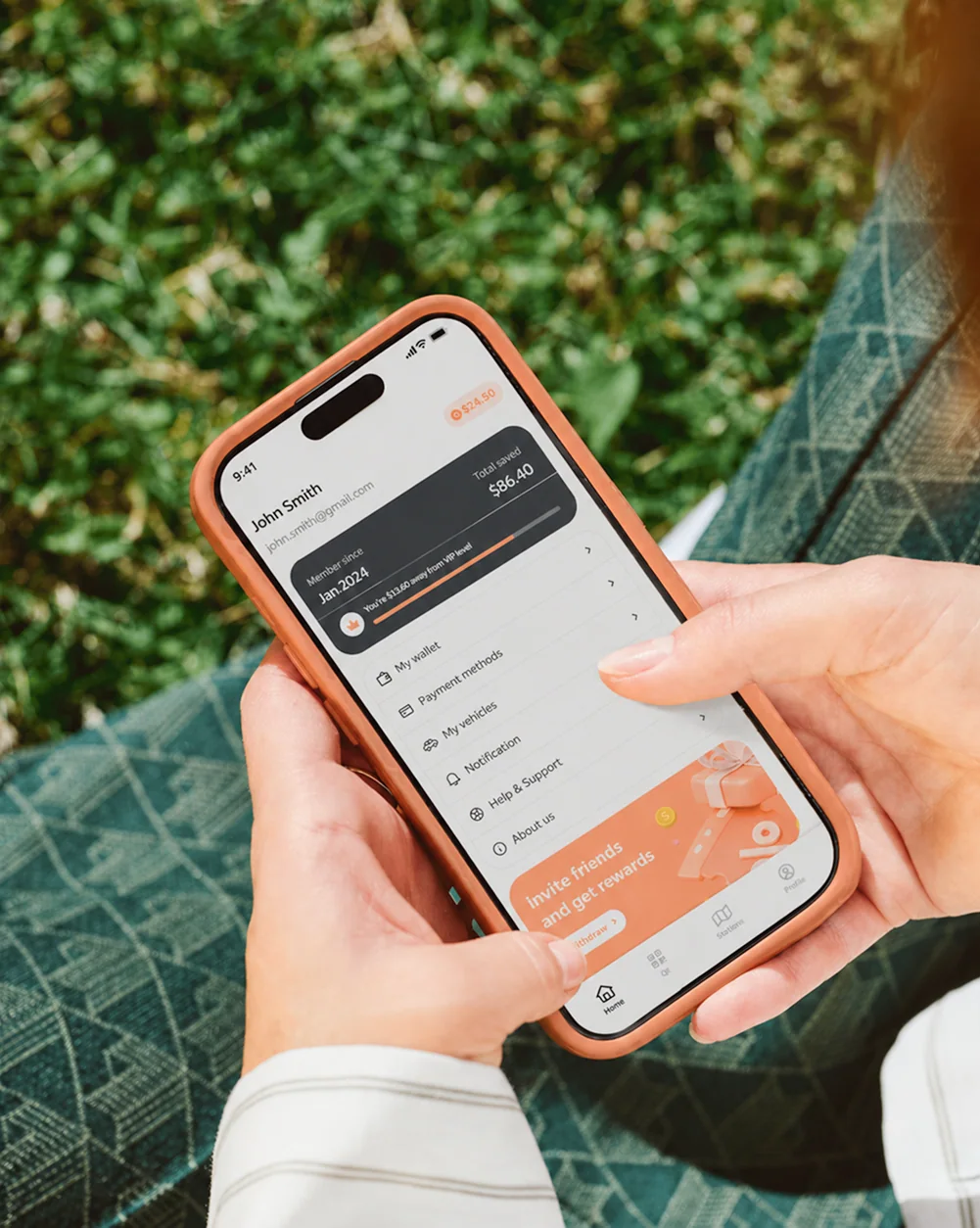
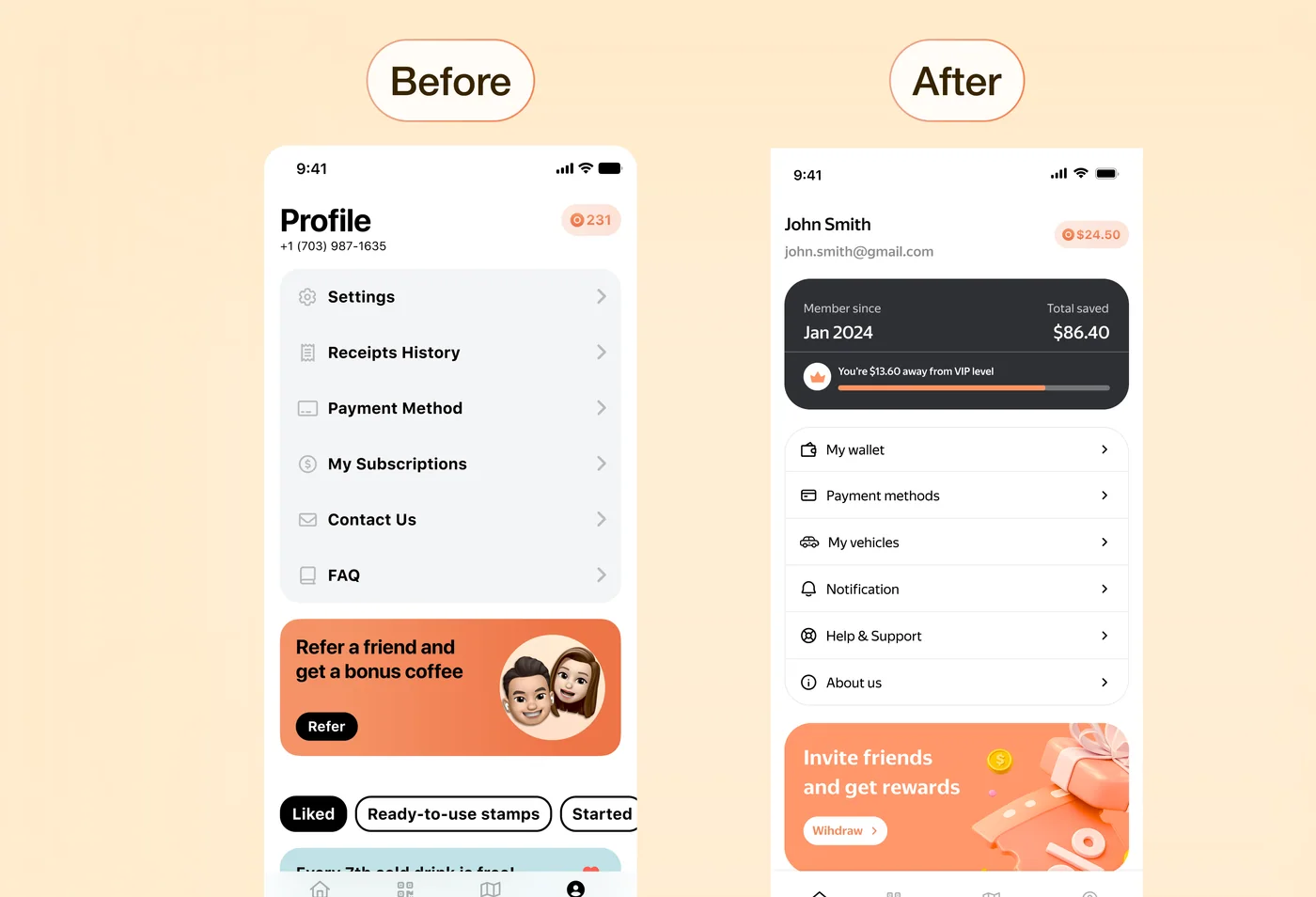
Profile

What changed

  • Replaced a static settings list with a value-focused header → shows savings and progress
  • Added VIP progress → encourages continued use
  • Surfaced key sections (wallet, payments, vehicles) → improves access to main actions
  • Made referral more visible → supports engagement
Before, the profile was mostly a settings list. After, it highlights user value and makes the screen more engaging.
Profile Screen

Results

After the redesign:

  • user engagement increased by ~15–20%
  • users reached key actions more frequently
  • UX errors and inconsistent states were reduced by ~30–40%
  • design–development alignment improved, reducing iteration time by ~25%
Investment Dashboard — Case Study
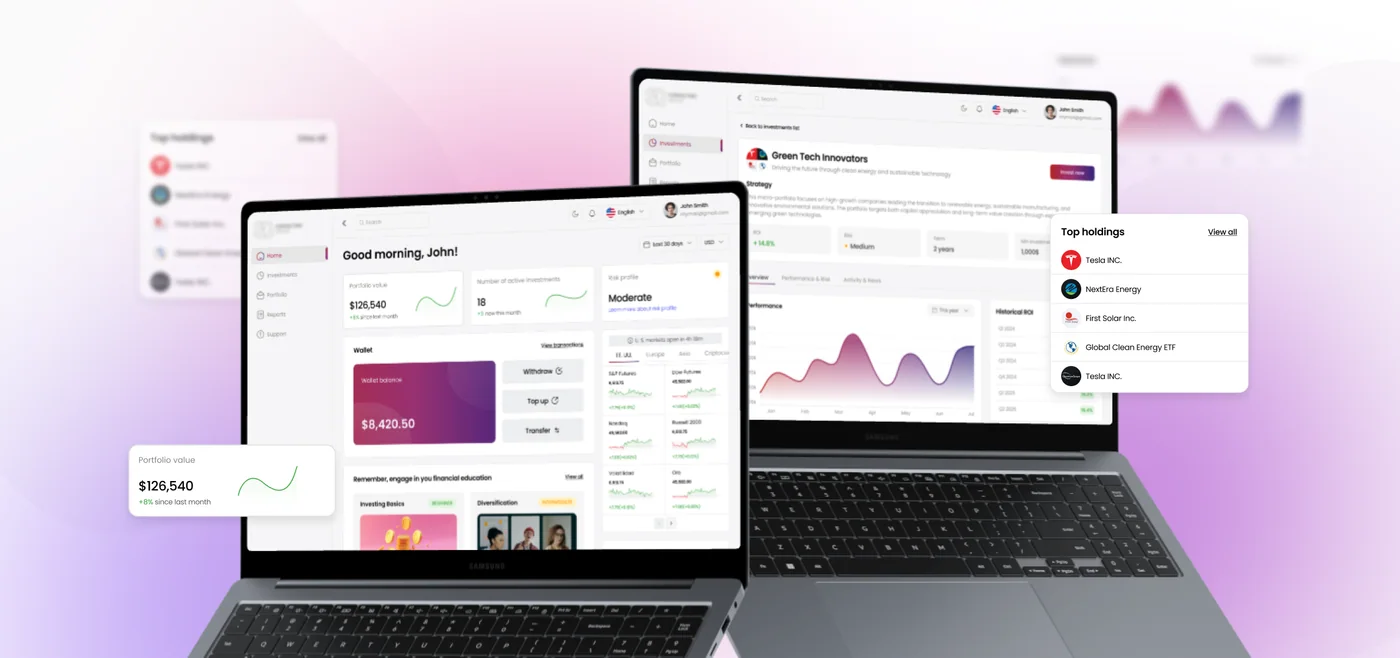
Investment Dashboard for Retail Investors

Retail investors often face overloaded interfaces, complex metrics, and unclear portfolio logic. This increases anxiety around financial decisions and reduces engagement.

Investment Dashboard Banner
Client
NDA
Year
2025
Project type
Mobile App iOS/Android
Role
Product Designer (UX/UI)

Problem

Users struggle to understand:

  • their current portfolio status
  • risk level
  • what actions to take next

The data is available, but it doesn't support decision-making.

Product Goal

Design a clear and manageable investment experience where users can:

  • quickly assess portfolio performance
  • understand risk exposure
  • take confident, informed actions
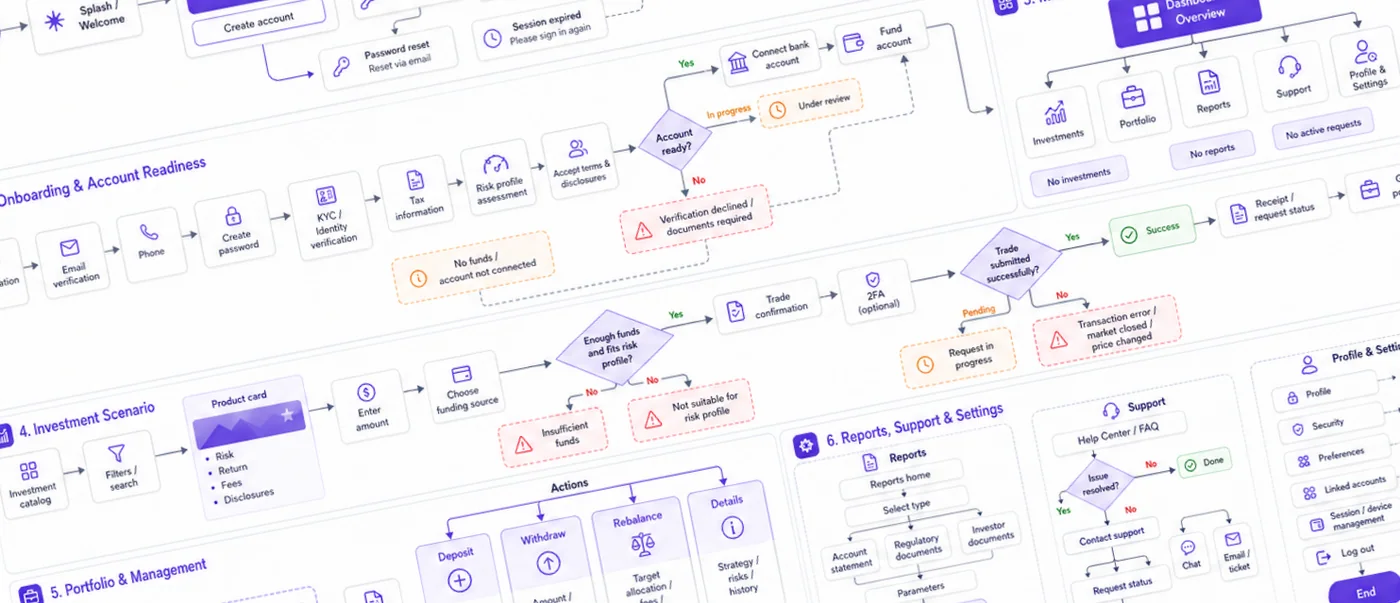
Investment Dashboard Flow

To respect NDA constraints, this flow has been anonymized and partially restructured; the UX approach and decision logic remain representative of the original work.

Approach

The design focused on shifting from data-heavy interfaces to decision-driven UX by reducing visual noise and prioritizing key metrics like portfolio value, risk, and activity. I introduced clear risk indicators, ROI dynamics, and actionable steps, turning passive data into guided decisions. Educational content and curated portfolios support learning within the product, while transparent portfolio details ensure clarity and user confidence.

Solution

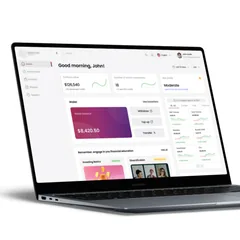
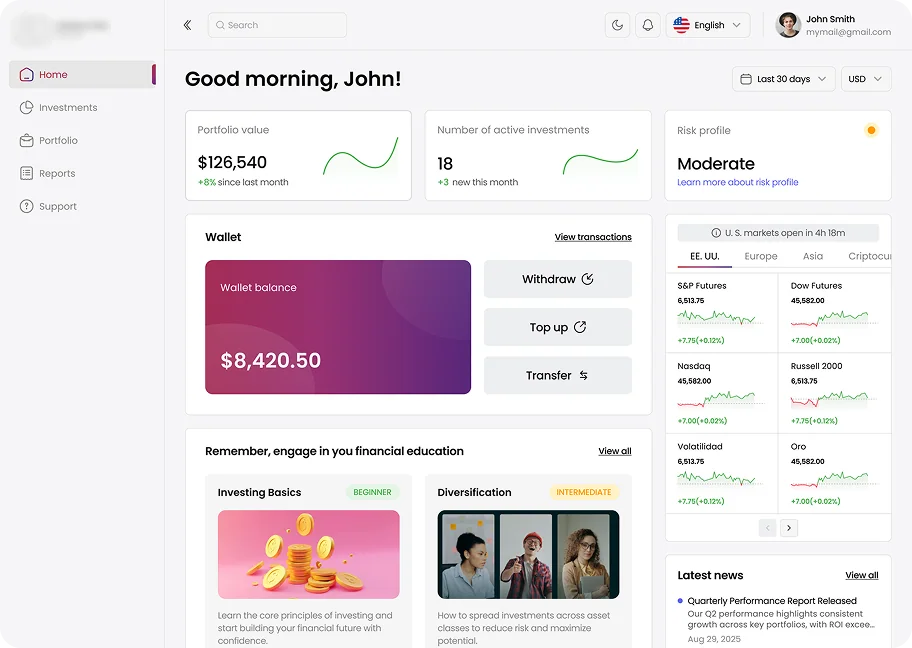
Main Dashboard

  • quick portfolio overview
  • risk level and performance trends
  • direct access to key actions
Main Dashboard
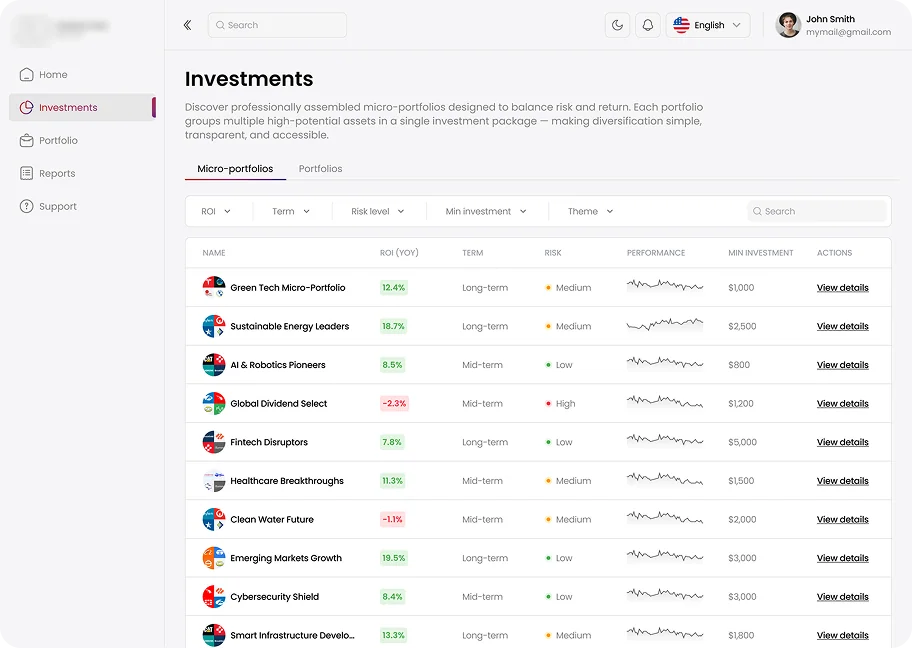
Investments Screen

Investments Screen

  • curated micro-portfolios
  • comparison by ROI and risk
  • simple and scannable layout

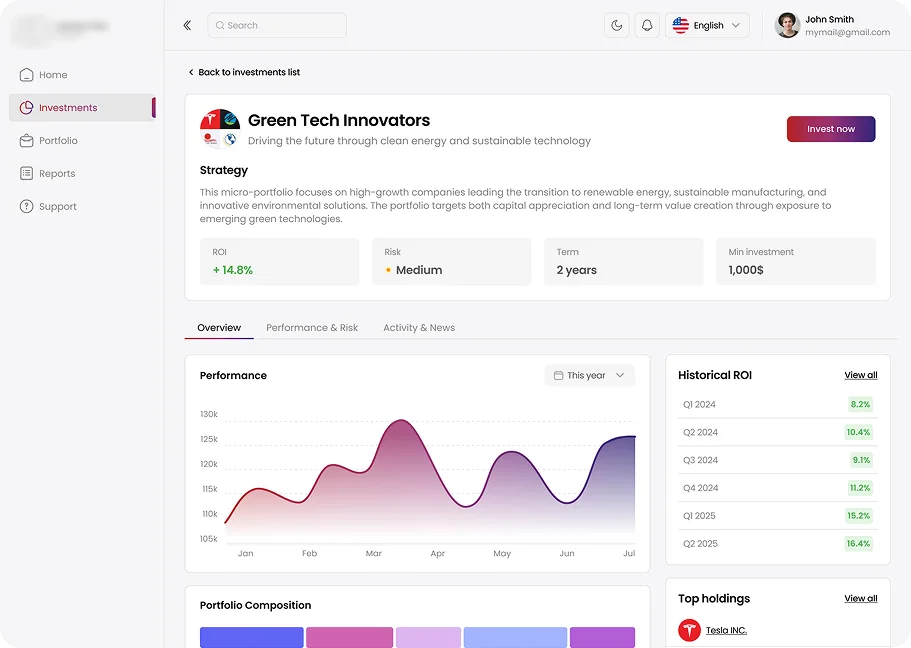
Portfolio Details

  • strategy and metrics
  • performance charts
  • transparent structure
Portfolio Details
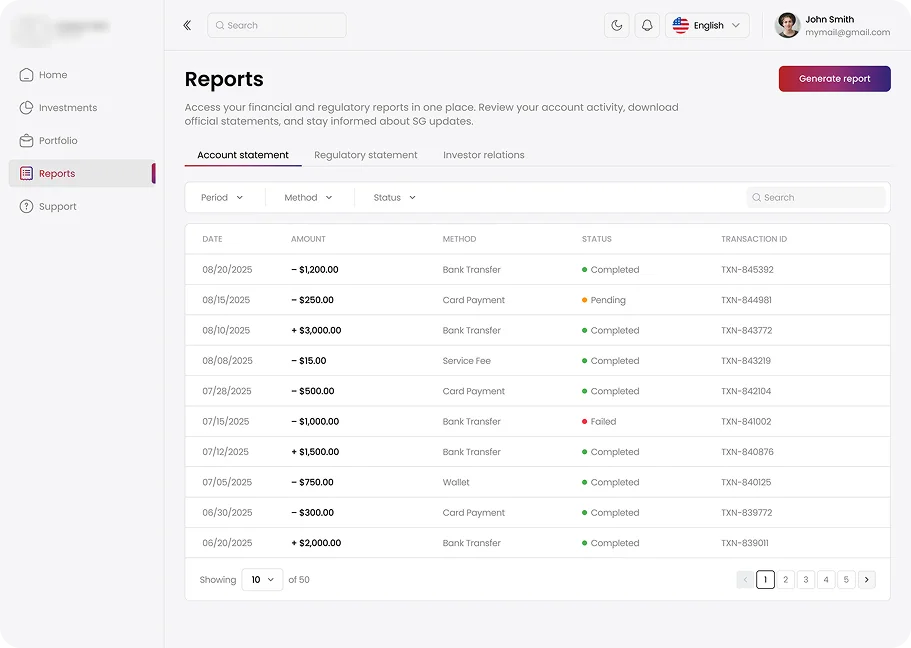
Reports

Reports

  • transaction history
  • status tracking
  • report generation

Results

  • +20–30% increase in engagement
  • reduced decision-making time
  • +15–25% increase in investment detail views

Takeaway

The key shift was moving from data-heavy interfaces to decision-driven design — helping users not just see information, but understand what to do next.

VPN Service — Case Study
Trading App — Case Study
Trading App

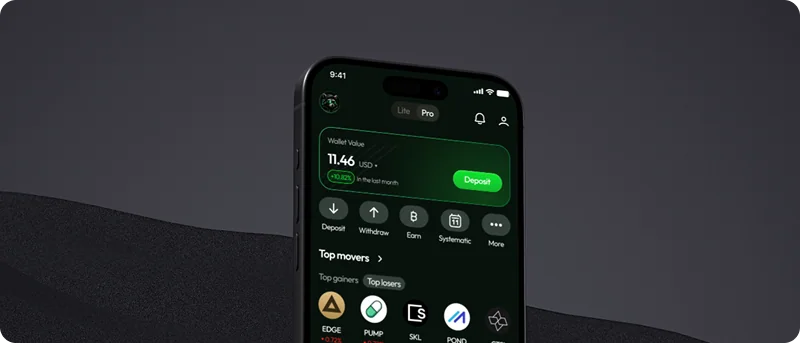
A mobile app for active crypto traders — combining wallet, market analytics, and trading in one product. The core challenge wasn't visual: it was structural. Three distinct mental models had to coexist without creating friction between them.
Client
NDA
Year
2025
Project type
Mobile App
Role
UX Research, UI Design
Trading App Mockup

Overview

A mobile app for active crypto traders — combining wallet, market analytics, and trading in one product. The core challenge wasn't visual: it was structural. Three distinct mental models had to coexist without creating friction between them.

Problem

Active trading happens under time pressure. In the existing flow, a user checking their balance, spotting a movement, and executing a trade had to navigate across three disconnected sections — each with its own logic. Every context switch added cognitive overhead at exactly the moment it was most costly.

The key insight: the interface treated wallet, market, and trading as separate tools rather than stages of a single workflow.

Before opening Figma, I spent time understanding how active traders actually behave. I interviewed five users — a mix of day traders and occasional investors — and the pattern was consistent: everyone described the same moment of friction. You see a price move, you check your balance, you navigate to the asset, and by the time you get to the Buy button, the window might already be closing.

I also ran a competitive analysis across Binance, Coinbase, and Kraken — not to copy their patterns, but to understand where they force the same context-switching problem and where they don't. What became clear is that most trading apps are designed around features, not around the sequence of decisions a trader actually makes.

That reframe — from features to decision flow — became the foundation for the architecture.
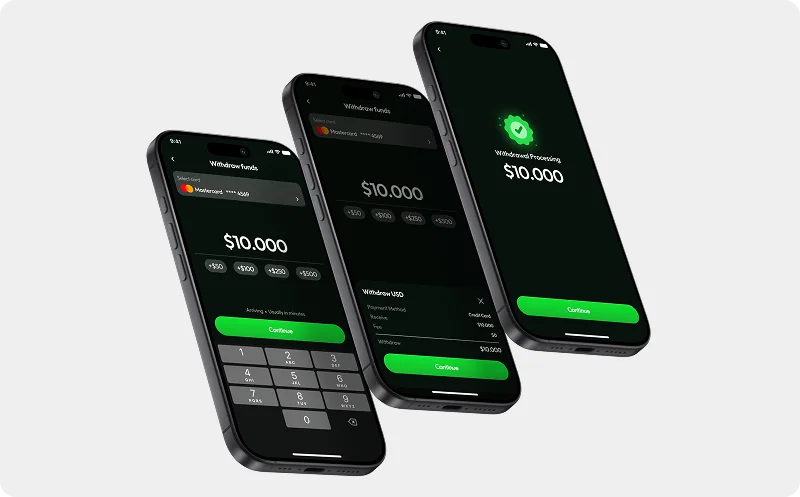
Trading App Mockup 3

Design Direction

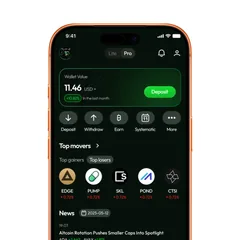
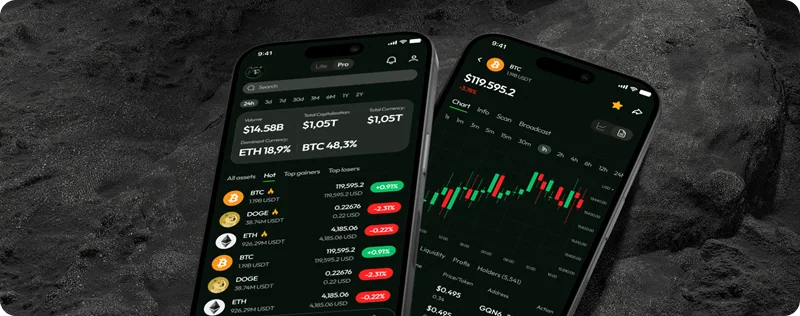
Home screen as situational awareness. Balance, top movers, and market news in a single scroll — so users can orient themselves without leaving the starting point.

Market screen starts with the macro picture. Dominance metrics and total capitalisation sit above the asset list, giving context before the user drills into a specific coin.

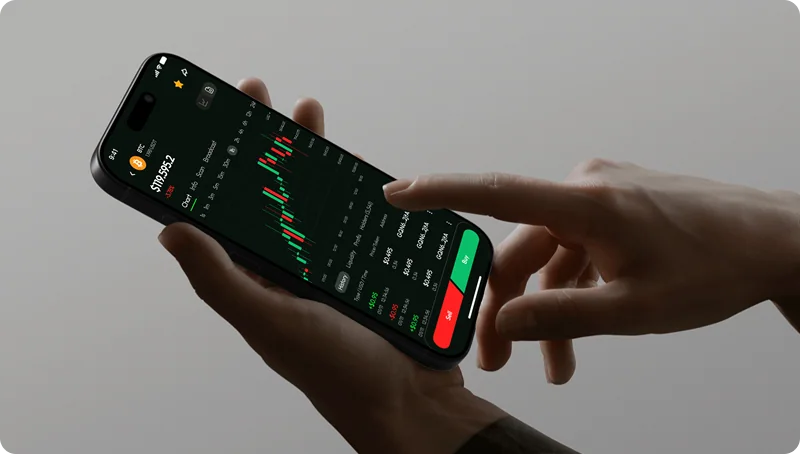
Asset view with persistent actions. Buy and Sell are always visible regardless of scroll position. On a volatile chart, making a trade button a scroll target is a UX liability.
Trading App Mockup 2

What Changed

  • Trade flow: 6 steps → 3
  • Time to execute a trade: 47s → 28s
  • DAU trades per user +19% in month 1
Trading App Mockup 4
EN
English
Русский
Polski